
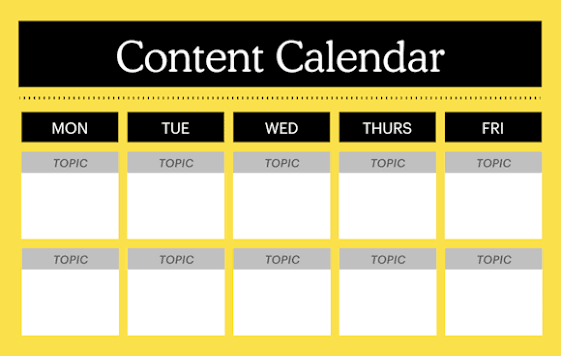

Do you often search for a new topic only a few hours before your publishing deadline? Stay calm because many writers and marketing teams struggle when they create content without a clear schedule.
Last-minute planning can reduce quality, create stress, and cause missed publishing dates. A monthly calendar gives you enough time to research topics, prepare drafts, review every piece, and promote your work properly.
Learning how to create a monthly content calendar helps you organize ideas, keywords, deadlines, formats, channels, and team responsibilities in one place. It also helps you maintain consistency without publishing random or repeated topics.
This guide will explain how to set monthly goals, understand your audience, choose content themes, collect ideas, select publishing dates, assign tasks, plan promotion, and review your results.
How to Create a Monthly Content Calendar
A monthly content calendar shows what you will publish, when you will publish it, where you will share it, and who will complete each task. It turns separate ideas into an organized publishing plan.
You can create your calendar in a spreadsheet, digital tool, notebook, or shared document. Choose a format that your team can understand and update easily.
Here are the main steps:
- Set Clear Monthly Goals
- Define Your Target Audience
- Review Your Previous Content
- Choose Monthly Content Themes
- Collect Relevant Topic Ideas
- Research Keywords and Questions
- Select Content Formats
- Choose Publishing Channels
- Set Realistic Publishing Dates
- Assign Tasks and Deadlines
- Plan Content Promotion
- Review and Improve the Calendar
1. Set Clear Monthly Goals
A practical website content writing course can teach you how to connect every content idea with a clear marketing goal. However, you should define that goal before you add topics to your monthly calendar.
Decide what you want your content to achieve during the month. You may want to increase website traffic, attract leads, educate customers, improve engagement, or support a product launch.
Avoid broad goals such as “publish more content.” Choose a result that you can measure and connect with your business needs.
For example, you may plan to publish four SEO articles, gain 100 new email subscribers, or promote one service through a focused campaign. A clear goal helps you select suitable topics and calls to action.
Give the month one primary goal and a small number of supporting goals. Too many goals can divide your attention and weaken the calendar.
Common monthly content goals include:
- Increase organic website traffic
- Generate qualified leads
- Promote a new product
- Build email subscriptions
- Improve social engagement
- Educate existing customers
- Increase service enquiries
- Strengthen brand awareness
2. Define Your Target Audience
Your target audience should guide every topic, format, example, and publishing channel. You cannot create a useful calendar when you do not understand the people you want to reach.
Start by identifying your main reader or customer group. Review their knowledge, goals, common problems, interests, and buying concerns.
Study customer emails, support questions, reviews, comments, surveys, and sales conversations. These sources reveal what people actually want to learn.
Create separate audience profiles when your business serves different groups. For example, you may target beginners, experienced professionals, business owners, and existing customers.
Do not create the same content for every group. Give each audience suitable topics and explanations.
Add the intended audience to every calendar entry so writers can adjust the message correctly.
Record these audience details:
- Age range
- Profession
- Location
- Knowledge level
- Main problems
- Desired results
- Common questions
- Preferred platforms
3. Review Your Previous Content
Reviewing old content helps you understand what worked, what failed, and what needs improvement. It also prevents you from repeating the same topic without adding new value.
Check the articles, emails, videos, and social posts you published during recent months. Review their traffic, clicks, engagement, leads, and conversions.
Identify the topics that attracted the most attention. You can create follow-up guides, updated versions, examples, or supporting posts around successful subjects.
Look for weak content that needs a better title, clearer structure, new information, or stronger promotion. You may improve an existing page instead of creating another similar one.
Create a list of outdated articles and add suitable updates to your calendar. Regular updates can protect accuracy and improve long-term performance.
Use previous results to guide your next month instead of depending only on guesses.
Review previous content for:
- Website traffic
- Search rankings
- Social engagement
- Email clicks
- Lead generation
- Customer questions
- Outdated information
- Missing supporting topics
4. Choose Monthly Content Themes
A monthly theme gives your content a clear direction. It helps you connect several pieces around one main topic, campaign, service, or customer problem.
Choose one to three themes according to your goals and publishing capacity. For example, a marketing company may focus on SEO, email marketing, and website conversion during one month.
Each theme should connect with your audience and services. Avoid selecting a popular subject that does not support your business or readers.
Create different content angles within the theme. You can publish a beginner guide, checklist, case study, common mistakes article, and social media series.
Themes also make internal linking easier. You can connect related articles and guide readers through a complete topic.
Add each theme to the top of your calendar so everyone understands the month’s main direction.
Monthly themes may focus on:
- A customer problem
- A product launch
- A core service
- A seasonal event
- An industry topic
- A business campaign
- A learning series
- A customer journey stage
5. Collect Relevant Topic Ideas
A strong calendar needs enough useful ideas to support the entire month. Collect ideas from real audience needs instead of choosing random titles.
Review customer questions, website searches, social comments, online discussions, and competitor content. Look for repeated problems that your business can explain clearly.
Ask your sales and support teams which questions customers raise most often. These conversations can reveal valuable topics that keyword tools may miss.
Keep a central idea list throughout the year. Add every useful question, observation, or content opportunity to this list.
Do not place every idea into the current month. Compare each topic with your goals, themes, audience, and available resources.
Select the strongest ideas and save the others for future calendars.
Find content ideas through:
- Customer questions
- Sales conversations
- Support requests
- Search suggestions
- Social media comments
- Industry discussions
- Competitor content gaps
- Previous article performance
6. Research Keywords and Questions
Keyword research helps you discover the phrases people use when they search for information. It can guide your article titles, headings, URLs, and supporting topics.
Choose one primary keyword for each search-focused article. Make sure the phrase matches the topic, audience, and search intent.
Review related keywords and common questions. These phrases can help you create complete outlines and useful supporting sections.
Study the search results before confirming a topic. Check whether users expect a guide, checklist, comparison, definition, or product page.
Do not force a keyword into the calendar because it shows high search volume. A smaller but more relevant phrase can attract better readers.
Add the primary keyword and search intent to each relevant calendar entry.
Record these keyword details:
- Primary keyword
- Related keywords
- Search intent
- Main audience
- Suggested title
- Supporting questions
- Competing content
- Article format
Professional Learning Tip: Digital Applications (dgaps.com) promotes its program as the best content writing course for practical and review-based learning. Engr. Ghulam Abbas, an expert in this field, teaches with his experienced team. They use practical assignments, detailed reviews, and direct feedback to teach content planning, SEO writing, editing, website content, and professional communication.
7. Select Content Formats
Different topics need different formats. A detailed process may need a blog guide, while a quick tip may work better as a short social post.
Review your audience’s habits before choosing formats. Some people prefer long articles, while others respond better to emails, videos, checklists, or visual posts.
Consider your team’s skills and available resources. Do not plan several videos when you lack enough time, equipment, or editing support.
Use a mix of formats to keep the calendar useful and varied. However, maintain a clear connection between every format and the monthly theme.
You can also repurpose one strong idea into several pieces. For example, you can turn an article into an email, social series, checklist, and short video script.
Add the selected format to every calendar entry so the creator knows what to produce.
Useful content formats include:
- Blog posts
- Website pages
- Email newsletters
- Social media posts
- Videos
- Checklists
- Case studies
- Infographics
8. Choose Publishing Channels
Publishing channels show where your audience will receive the content. Common channels include websites, email lists, social platforms, video platforms, and professional communities.
Choose channels that your audience already uses. Do not publish on every platform simply because it exists.
Your website should usually act as the main home for detailed and long-term content. Supporting channels can promote that content and lead people back to the website.
Adjust the message for each platform. A long website introduction may not work as a short social caption.
Plan how different channels will support one another. For example, an email can promote a new article, while several social posts can explain its key points.
Record the primary and supporting channels in your monthly calendar.
Possible publishing channels include:
- Company website
- Email newsletter
- YouTube
- Online communities
- Industry publications
9. Set Realistic Publishing Dates
A consistent schedule can build audience trust, but an unrealistic schedule can reduce quality and exhaust your team.
Review how much time each content type requires. A detailed article may need several days for research, writing, editing, design, and approval.
Choose publishing dates that match your actual capacity. One excellent article each week may create more value than daily weak posts.
Consider holidays, campaigns, product launches, events, and team availability. Plan important content early enough to avoid rushed work.
Spread similar topics across the month. Publishing several nearly identical posts within a few days can reduce audience interest.
Add buffer time for revisions, technical problems, or unexpected delays.
Set dates based on:
- Research time
- Writing time
- Editing requirements
- Design needs
- Approval processes
- Important campaigns
- Team availability
- Promotion plans
10. Assign Tasks and Deadlines
Every calendar entry should show who will complete each task. Clear ownership prevents confusion and missed deadlines.
Assign writers, editors, designers, reviewers, publishers, and promoters according to the needs of the content.
Break large projects into smaller deadlines. Set separate dates for the brief, outline, first draft, review, final version, design, and publication.
Do not use only the final publishing date. Earlier deadlines help the team identify problems before they affect the schedule.
Make sure every person understands the task, goal, audience, format, and required quality. A clear content brief can support this process.
Update the calendar immediately when responsibilities or dates change.
Assign responsibility for:
- Topic research
- Keyword research
- Content brief
- First draft
- Editing
- Fact-checking
- Design
- Publication
- Promotion
- Performance review
11. Plan Content Promotion
Publishing content does not guarantee that people will find it. Add a promotion plan to every important calendar entry.
Choose the email, social, community, and internal website channels that will support each piece.
Write different promotional messages for each platform. Avoid copying one caption across every channel without adjustment.
Plan several promotional dates for valuable evergreen content. You can share it again with a different example, question, quote, or benefit.
Add internal links from older relevant articles. These links can help readers discover the new page and improve website navigation.
Record every promotional action in the calendar so the team completes it after publication.
Promotion activities may include:
- Email announcements
- Social media posts
- Internal links
- Employee sharing
- Community discussions
- Partner outreach
- Newsletter features
- Paid promotion
12. Review and Improve the Calendar
A monthly content calendar should guide your work, but it should not prevent useful changes. Review it throughout the month and adjust it when necessary.
Check the calendar every week. Confirm upcoming deadlines, completed tasks, delayed projects, and new opportunities.
At the end of the month, compare your results with the goals you set. Identify which topics, formats, and channels performed best.
Ask writers, editors, and marketers what caused delays or confusion. Their feedback can help you improve the next calendar.
Remove activities that consume time without creating value. Add more of the approaches that support traffic, engagement, leads, or sales.
Use every monthly review to create a stronger and more realistic plan.
Review the calendar for:
- Completed content
- Missed deadlines
- Successful topics
- Weak formats
- Strong channels
- Audience feedback
- Team challenges
- Future improvements
Essential Elements of a Monthly Content Calendar
A useful calendar should include enough information to guide each project from the idea stage to promotion.
- Content Title: Write a clear working title for the piece.
- Monthly Theme: Connect the topic with the main campaign or subject.
- Target Audience: Identify the reader or customer group.
- Content Goal: Explain what the piece should achieve.
- Content Format: Choose an article, email, video, checklist, or social post.
- Primary Keyword: Record the main search phrase when necessary.
- Publishing Channel: Show where the content will appear.
- Responsible Person: Assign the main owner of the task.
- Draft Deadline: Set a date for the first complete version.
- Publishing Date: Confirm when the audience will receive the content.
- Promotion Plan: List the channels that will support it.
- Current Status: Track progress from idea to publication.
How to Plan Four Weeks of Monthly Content
A four-week structure can help you spread your ideas evenly and maintain a clear direction.
Week 1: Educate the Audience
Start the month with useful information that explains a problem, topic, or process.
- Publish a beginner guide.
- Share an educational email.
- Create short social tips.
- Answer a common customer question.
- Link to related website resources.
Week 2: Build Trust
Use the second week to show experience, proof, and practical knowledge.
- Publish a case study.
- Share a customer story.
- Explain your process.
- Present expert tips.
- Answer common concerns.
Week 3: Support Decisions
Create content that helps readers compare options or choose a solution.
- Publish a comparison article.
- Explain product or service benefits.
- Share a detailed FAQ.
- Create a demonstration.
- Add a clear call to action.
Week 4: Encourage Action and Review
Use the final week to promote the next step and review the month.
- Share an offer or service page.
- Send a focused promotional email.
- Repurpose the best article.
- Review performance data.
- Plan improvements for next month.
Monthly Content Calendar Example
The following structure shows how a simple monthly calendar may look.
First Week
- Monday: Publish an educational blog post.
- Tuesday: Share the article on LinkedIn.
- Wednesday: Send a short email summary.
- Thursday: Publish a related social tip.
- Friday: Add internal links from older articles.
Second Week
- Monday: Publish a customer case study.
- Tuesday: Share one important result.
- Wednesday: Post a short behind-the-scenes update.
- Thursday: Answer a customer question.
- Friday: Promote the case study through email.
Third Week
- Monday: Publish a comparison guide.
- Tuesday: Share a checklist from the guide.
- Wednesday: Post a short example.
- Thursday: Create a question-based social post.
- Friday: Link the guide to a service page.
Fourth Week
- Monday: Publish a service-focused article.
- Tuesday: Share a customer testimonial.
- Wednesday: Send a direct promotional email.
- Thursday: Republish a strong monthly tip.
- Friday: Review results and plan the next calendar.
How to Choose Topics for a Monthly Calendar
Choose topics that support your audience, business goals, and monthly themes.
- Answer customer questions: Turn repeated questions into articles, emails, or videos.
- Solve common problems: Create practical content around real challenges.
- Support business goals: Connect topics with products, services, or campaigns.
- Use keyword research: Find relevant questions and search phrases.
- Review successful content: Expand topics that already attract interest.
- Update old articles: Improve pages with outdated or missing information.
- Study competitor gaps: Cover useful points that other websites ignore.
- Follow industry changes: Explain relevant developments to your audience.
- Use seasonal opportunities: Plan content around suitable dates and events.
- Ask your audience: Use polls, surveys, and comments to collect ideas.
How to Balance Different Content Types
A balanced calendar can educate, engage, build trust, and support business results.
Educational Content
Educational content helps readers understand a subject or solve a problem.
- Beginner guides
- Tutorials
- Checklists
- Definitions
- Frequently asked questions
Trust-Building Content
Trust-building content shows your knowledge, process, and customer experience.
- Case studies
- Testimonials
- Expert insights
- Behind-the-scenes posts
- Company stories
Engagement Content
Engagement content encourages people to respond, share, or join a discussion.
- Polls
- Questions
- Short tips
- Community posts
- Opinion topics
Conversion Content
Conversion content guides people toward a product, service, or business action.
- Service pages
- Product guides
- Promotional emails
- Comparison articles
- Consultation offers
Retention Content
Retention content supports existing customers and encourages long-term loyalty.
- Onboarding guides
- Product tips
- Customer newsletters
- Support articles
- Feature updates
How to Repurpose Monthly Content
Repurposing helps you gain more value from one strong idea. It also reduces the pressure to create every piece from the beginning.
- Turn an article into an email: Summarize the main points and link to the full guide.
- Create social posts: Share individual tips, examples, or questions from the article.
- Build a checklist: Convert practical steps into a quick reference resource.
- Prepare a video script: Explain the article through natural spoken language.
- Create a presentation: Organize the main lessons into clear slides.
- Write a short FAQ: Turn supporting questions into brief answers.
- Update a service page: Add useful explanations from relevant educational content.
- Create a content series: Divide a detailed guide into several smaller pieces.
Common Monthly Content Calendar Mistakes to Avoid
A calendar can fail when it creates more confusion than direction.
- Planning too much content: Choose a schedule that your team can maintain.
- Ignoring business goals: Connect every important topic with a clear purpose.
- Writing for everyone: Define a specific audience for each piece.
- Choosing random topics: Use themes and customer needs to guide your ideas.
- Skipping keyword research: Study search demand for relevant website content.
- Using only one format: Mix articles, emails, social posts, and other useful formats.
- Using every platform: Focus on channels that your audience actually uses.
- Setting only publishing dates: Add deadlines for research, writing, editing, and design.
- Ignoring promotion: Plan how people will discover every important piece.
- Repeating the same topic: Review previous content before confirming new ideas.
- Leaving no flexibility: Keep room for useful updates and unexpected opportunities.
- Ignoring old content: Add updates and improvements to the calendar.
- Skipping performance reviews: Use results to improve the next month.
- Failing to assign tasks: Give every project a clear owner.
Monthly Content Calendar Checklist
Use this checklist before the month begins:
- Set monthly goals: Define the results you want to achieve.
- Confirm the audience: Identify who will receive each message.
- Review old content: Find successful topics and necessary updates.
- Choose content themes: Give the month a clear direction.
- Collect useful ideas: Focus on real audience questions and needs.
- Research keywords: Match search-focused content with relevant phrases.
- Select formats: Choose suitable articles, emails, videos, or social posts.
- Choose channels: Publish where your audience spends time.
- Set realistic dates: Give each project enough production time.
- Assign responsibilities: Name the writer, editor, designer, and promoter.
- Add task deadlines: Include research, draft, review, and approval dates.
- Plan promotion: Decide how you will distribute every major piece.
- Leave flexible space: Prepare for timely opportunities or necessary changes.
- Track content status: Update each project as it moves forward.
- Plan a monthly review: Compare results with your original goals.
How to Measure Monthly Content Performance
Performance data can show whether your calendar supports your audience and business goals.
- Website Traffic: Shows how many people visit your published pages.
- Organic Search Visits: Measures visitors who arrive through unpaid search results.
- Keyword Rankings: Reveals how your articles perform for target phrases.
- Reading Time: Shows how long visitors engage with your content.
- Scroll Depth: Reveals how far people move through articles.
- Social Engagement: Measures comments, shares, saves, and reactions.
- Email Opens: Shows how many subscribers open your messages.
- Email Clicks: Reveals how many readers follow your links.
- Lead Generation: Measures forms, downloads, registrations, and enquiries.
- Conversions: Tracks purchases, bookings, or other important actions.
- Publishing Consistency: Shows whether your team followed the planned schedule.
- Content Production Time: Reveals where delays occur.
Connect each measurement with the monthly goal. Do not judge every content type through the same number.
Final Note
In this guide, we have covered how to create a monthly content calendar by setting goals, researching the audience, choosing themes, collecting ideas, selecting formats, assigning responsibilities, planning promotion, and measuring results.
A useful content calendar does more than record publishing dates. It gives every idea a goal, every task an owner, and every piece a clear place within your marketing plan.
My personal view is simple: create a calendar that your team can actually follow. A small and realistic plan will produce better results than an ambitious schedule that causes rushed work and missed deadlines.
Start with one month, review your results, and improve the next calendar through real experience. Thank you for reading, and best wishes for your content planning journey!

