

Buying a laptop in 2026 can feel overwhelming. With so many brands, specifications, and features on the market, it’s easy to get lost in the technical jargon. That’s why we’ve created this laptop buying guide—to make it simple, clear, and practical.
Whether you’re a student, a professional, a gamer, or someone who just wants a laptop for daily use, this guide will help you pick the right device for your needs.
1. Understand Your Laptop Needs

Before you even look at laptops online or in stores, the first step is to identify what you really need the laptop for. The best laptop for a gamer is very different from the best laptop for a student or a professional designer.
Common Use Cases:
- Basic Use
If you only plan to browse the internet, stream videos, check emails, and use Microsoft Office or Google Docs, you don’t need a high-end laptop. Look for:
- Processor: Intel Core i3 or AMD Ryzen 3
- RAM: 4–8GB
- Storage: 256GB SSD (fast and reliable)
- Processor: Intel Core i3 or AMD Ryzen 3
- Professional Work
For tasks like video editing, graphic design, programming, or running multiple applications, you’ll need a laptop with better specs:
- Processor: Intel Core i5/i7 or AMD Ryzen 5/7
- RAM: 16GB+ for smooth multitasking
- Graphics Card: Dedicated GPU (NVIDIA or AMD) if working with 3D design or rendering
- Processor: Intel Core i5/i7 or AMD Ryzen 5/7
- Gaming
Gamers require high-performance laptops that can handle heavy games without lag:
- CPU: Intel Core i7/i9 or Ryzen 7/9
- GPU: Dedicated gaming-grade GPU like NVIDIA RTX 3060 or higher
- RAM: 16–32GB
- Display: High refresh rate (120Hz–165Hz) for smoother gameplay
- CPU: Intel Core i7/i9 or Ryzen 7/9
- Portability & Travel
If you carry your laptop every day or travel frequently, look for:
- Weight: 1–1.5 kg
- Slim design
- Battery life: 8–12 hours
Ultrabooks and lightweight laptops are perfect for portability.
- Weight: 1–1.5 kg
Knowing your primary use case will help narrow down your options and prevent overspending on unnecessary features.
2. Key Laptop Specifications Explained
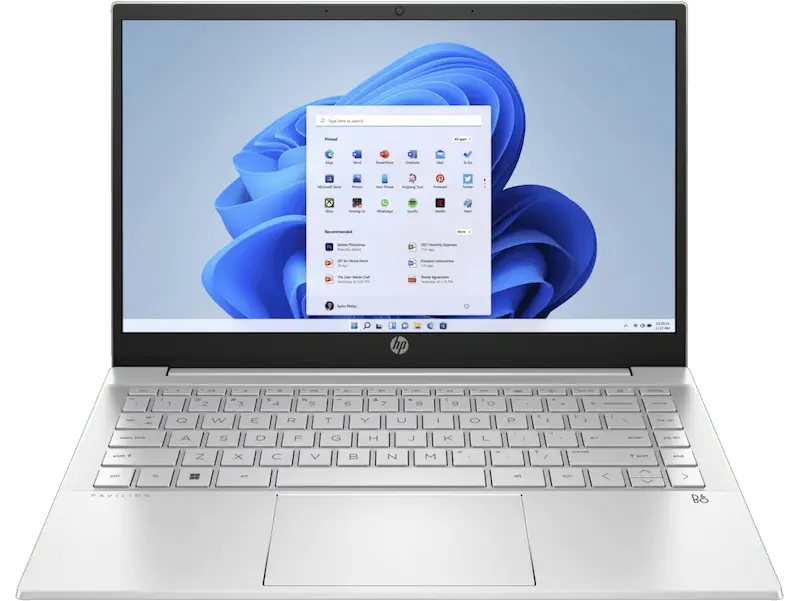
To make the right choice, it’s important to understand what each component does. Here’s a breakdown:
a) Processor (CPU)
The CPU is the “brain” of your laptop—it determines speed and multitasking performance.
- Intel Processors:
- Core i3: Basic tasks, students, casual users
- Core i5: Mid-range, professionals, casual gamers
- Core i7/i9: High-performance, heavy gaming, creative work
- Core i3: Basic tasks, students, casual users
- AMD Processors:
- Ryzen 3: Basic use
- Ryzen 5: Balanced performance for work and light gaming
- Ryzen 7/9: Professional use, gaming, editing
- Ryzen 3: Basic use
Tip: For most users, a Core i5 or Ryzen 5 is sufficient. Only go for i7/9 or Ryzen 7/9 if you’re doing demanding work.
b) RAM
RAM determines how many applications your laptop can run simultaneously:
- 4GB: Light users, basic browsing, office tasks
- 8GB: Standard users, smooth multitasking
- 16GB+: Heavy users, gaming, video editing, software development
Tip: Never go below 8GB RAM today—many apps and browsers consume a lot of memory.
c) Storage
Laptop storage comes in two main types:
- SSD (Solid-State Drive): Fast boot times, faster file transfer, more reliable
- HDD (Hard Disk Drive): Cheaper, larger capacity, slower
Recommended: Minimum 256GB SSD. If you need more storage, consider a hybrid setup (SSD for OS + HDD for files).
d) Graphics Card (GPU)
- Integrated GPU: Fine for office tasks, streaming, casual use
- Dedicated GPU: Required for gaming, video editing, 3D rendering
Tip: Gamers and creative professionals should invest in a good dedicated GPU (like NVIDIA RTX 3060 or higher).
e) Display
The screen is where you’ll spend most of your time. Consider:
- Size:
- 13–14”: Ultra-portable
- 15–16”: Standard laptop
- 17”: Gaming or workstation laptops
- 13–14”: Ultra-portable
- Resolution: Full HD (1920×1080) is standard; 4K is optional for professionals
- Refresh Rate: 60Hz is standard; 120Hz+ for gamers for smoother motion
f) Battery Life
Battery life depends on usage and hardware. Ultrabooks and lightweight laptops usually offer 8–12 hours. Gaming laptops often last 4–6 hours. Consider your daily routine before choosing.
g) Build Quality & Keyboard
- Build Materials: Metal bodies are more durable than plastic
- Keyboard: Comfortable typing and backlit keyboards are helpful
- Ports: Ensure USB-C, HDMI, headphone jack, and SD card slots meet your needs
3. Choosing the Operating System
Your OS affects the software you can run:
- Windows: Most versatile, supports almost all software
- MacOS: Exclusive to Apple laptops, smooth, secure, great for creatives
- Linux/ChromeOS: Lightweight, secure, ideal for coding or browsing
Tip: If you need software like Adobe Creative Suite, Windows or MacOS is preferred.
You may also like to read this:
Budget Gadget Reviews: Top Affordable Tech Picks 2026
Best Gadgets To Buy in 2026 – Top Tech Picks
Tech Buying Guide 2026 – Tips For Smart Gadget Choices
Best Gadgets Under Budget: Top Affordable Tech Picks
Smartphone Buying Guide 2026: Choose The Right Phone
4. Portability Considerations
If you travel frequently, think about:
- Weight: Under 1.5 kg for portability
- Battery: 8+ hours for all-day work
- Design: Slim ultrabooks or 2-in-1 convertibles are ideal
5. Budget Planning
Laptops range widely in price:
- Budget ($300–$600): Good for students or casual users
- Mid-range ($600–$1200): Best for professionals, casual gaming, or multitasking
- High-end ($1200+): For gaming, content creation, or heavy-duty use
Tip: Focus on specs, not brand. Sometimes a lesser-known brand offers better hardware for the same price.
6. Check Reviews and Warranty
Before buying, make sure to:
- Read reviews: Check performance, heating, battery, and reliability
- Check warranty: At least 1-year coverage is recommended
- Consider after-sales service: Essential if anything goes wrong
7. Additional Features
- Touchscreen: Good for designers and creatives
- 2-in-1 Convertible: Can double as a tablet
- Connectivity: Ensure Wi-Fi 6, Bluetooth 5.0, and enough ports for your devices
8. Common Mistakes to Avoid
- Buying the most expensive laptop assuming it’s the best for your needs
- Ignoring RAM and storage requirements
- Overlooking battery life or portability
- Skipping reviews and after-sales support
Conclusion
Choosing the perfect laptop doesn’t have to be complicated. By understanding your needs, carefully comparing specifications, and considering portability, battery, and budget, you can confidently pick a laptop that suits your lifestyle. Remember, the right laptop is not always the most expensive—it’s the one that fits your personal or professional requirements efficiently.
Use this laptop buying guide as a checklist and you’ll avoid common mistakes, ensuring that your new laptop is a smart investment that lasts for years.
FAQs
1. What is the best laptop for everyday use?
2. How much RAM do I need in 2026?
16GB RAM or more is recommended for gaming, programming, or video/photo editing.
Avoid laptops with less than 8GB unless you only need them for basic tasks.
3. Should I choose SSD or HDD storage?
4. Do I need a dedicated graphics card (GPU)?
Dedicated GPU is necessary for gaming, 3D design, and video editing. Popular choices include NVIDIA RTX 3060 or AMD Radeon series.
5. Which operating system should I choose?
MacOS: Best for creative professionals and smooth performance (Apple laptops only).
Linux / ChromeOS: Lightweight, secure, ideal for coding, browsing, or simple tasks.


