
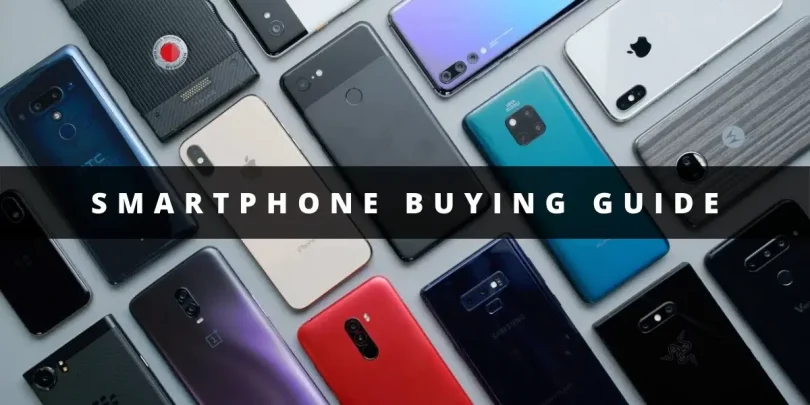

Choosing a new smartphone can feel overwhelming. With so many brands, models, features, and prices available, how do you know which one is the right fit for you? This smartphone buying guide will walk you through every key factor to consider, helping you make a smart decision without confusion.
Whether you’re upgrading from an old device, buying your first smartphone, or looking for the latest features, this guide is designed to make your choice easier and smarter.
1. Determine Your Budget

The first step in buying a smartphone is deciding how much you’re willing to spend. Smartphones come in a wide price range, and your budget will significantly narrow down your choices.
- Budget Smartphones (Under $300): These phones are great for basic use like calls, messaging, social media, and light browsing. They may have lower performance, smaller batteries, and fewer features, but they get the job done.
- Mid-Range Smartphones ($300–$600): Perfect for users who want a balance of performance, battery life, and camera quality without paying premium prices. These phones often include good processors, multiple cameras, and modern features.
- Flagship/High-End Smartphones ($600+): Ideal for power users, photographers, gamers, or anyone who wants top-tier performance, advanced cameras, and premium design. Expect features like fast charging, high-refresh-rate displays, and long-term software support.
Knowing your budget first ensures you don’t waste time comparing phones that are out of your price range.
2. Choose the Right Operating System
The operating system (OS) affects how your phone feels, how apps work, and how your devices integrate with each other. There are mainly two choices:
- Android:
- Offers a wide range of devices at different price points.
- Highly customizable with widgets, themes, and multiple app options.
- Popular brands: Samsung, Google Pixel, OnePlus, Xiaomi, Oppo, and Realme.
- Frequent hardware updates but software updates can be shorter (usually 2–3 years).
- Offers a wide range of devices at different price points.
- iOS (Apple iPhone):
- Known for smooth performance, user-friendly interface, and long-term software support (5+ years).
- Excellent ecosystem if you already use Apple devices like MacBooks, iPads, or Apple Watch.
- Limited model options but consistent quality and security.
- Known for smooth performance, user-friendly interface, and long-term software support (5+ years).
Tip: If you already own a smartwatch, tablet, or laptop, choosing the same ecosystem (Apple or Android) can make your devices work seamlessly together.
3. Screen Size, Display Type, and Resolution
The display is one of the most important parts of your smartphone experience. Here’s what to look for:
- Screen Size:
- Compact phones (~5–6 inches) are easy to use with one hand.
- Large phones (~6.5–7 inches) provide a better experience for gaming, videos, and multitasking.
- Compact phones (~5–6 inches) are easy to use with one hand.
- Display Type:
- OLED/AMOLED: Vibrant colors, deep blacks, and better contrast. Often found in mid-range and flagship phones.
- LCD: Bright and clear but less contrasty; usually found in budget phones.
- OLED/AMOLED: Vibrant colors, deep blacks, and better contrast. Often found in mid-range and flagship phones.
- Resolution:
- Full HD (1080p): Standard for clear visuals.
- Quad HD or higher (1440p+): Ultra-sharp display for top-tier devices.
- Full HD (1080p): Standard for clear visuals.
- Refresh Rate: Higher refresh rates (90Hz, 120Hz, or 144Hz) make scrolling, gaming, and animations smoother.
4. Performance: Processor, RAM, and Storage
Your phone’s performance depends on its processor, RAM, and internal storage.
- Processor: Determines how fast your phone runs apps and games.
- High-end chips: Snapdragon 8 series, Apple A-series, MediaTek Dimensity 9000+.
- Mid-range chips: Snapdragon 6/7 series, Apple A15, MediaTek Dimensity 700/800 series.
- High-end chips: Snapdragon 8 series, Apple A-series, MediaTek Dimensity 9000+.
- RAM:
- 4GB: Suitable for basic tasks and light multitasking.
- 6–8GB: Ideal for heavy multitasking and gaming.
- 12GB+: For flagship devices, gamers, or power users.
- 4GB: Suitable for basic tasks and light multitasking.
- Storage:
- 64GB: Minimum for light users.
- 128GB–256GB: Standard for most users.
- 512GB+: For users storing lots of photos, videos, or games.
- Expandable storage: Some Android phones allow microSD cards for additional space.
- 64GB: Minimum for light users.
5. Camera Quality and Features

For many buyers, the camera is the most important feature. Consider the following:
- Number of Lenses: Multiple lenses provide versatility:
- Wide-angle, ultra-wide, macro, and telephoto.
- Wide-angle, ultra-wide, macro, and telephoto.
- Megapixels (MP): Higher MP doesn’t always mean better quality; sensor quality matters more.
- Software Features: Night mode, portrait mode, AI enhancements, optical image stabilization, and video features can dramatically improve photos and videos.
Tip: If photography is important, read real-world camera reviews or compare sample photos online before buying.
6. Battery Life and Charging
A phone is only useful if it lasts through the day. Here’s what to check:
- Battery Capacity: 4,000–5,000 mAh is common for full-day use.
- Fast Charging: Modern phones can charge 50% in 30 minutes or less.
- Wireless Charging: Convenient but usually found in premium phones.
- Battery Optimization: Some phones use software to extend battery life by optimizing background apps.
7. Connectivity and Extra Features
Modern smartphones come with a variety of features beyond calls and apps:
- 5G: Future-proof your phone with faster internet speeds where available.
- NFC: Useful for contactless payments and quick data transfer.
- Water and Dust Resistance: Look for IP67 or IP68 ratings for protection against spills and dust.
- Biometric Security: Fingerprint sensors, face unlock, and secure PIN options.
- Dual SIM: Handy if you use multiple carriers or travel frequently.
You may also like to read this:
Audio Gadget Reviews 2026: Best Headphones & Speakers
Budget Gadget Reviews: Top Affordable Tech Picks 2026
Best Gadgets To Buy in 2026 – Top Tech Picks
Tech Buying Guide 2026 – Tips For Smart Gadget Choices
Best Gadgets Under Budget: Top Affordable Tech Picks
8. Build Quality and Design
The phone’s feel and durability are also essential:
- Materials: Glass and metal are premium but may be fragile; plastic is more durable but less premium.
- Ergonomics: Make sure the phone feels comfortable in your hand.
- Weight: Heavy phones can feel premium but may be tiring to hold for long periods.
9. Software Updates and Brand Reputation
Choosing a reliable brand ensures long-term usability:
- Software Updates: iPhones typically receive updates for 5–6 years, while Android phones receive updates for 2–4 years depending on the brand.
- After-Sales Service: Look for brands with good customer support and service centers near you.
- User Reviews: Reading user experiences can help you avoid phones with common issues.
10. Try It Out and Compare
Before buying, test the phone in-store if possible. Check:
- Screen responsiveness and brightness.
- Camera performance in different lighting.
- Overall speed and smoothness.
- Comfort in hand.
Also, compare your top choices online to see which offers the best value for your needs.
Conclusion
Buying a smartphone is all about balancing your budget with your needs. This smartphone buying guide has covered every factor—from budget and OS to camera, battery, performance, and extra features—so you can make an informed choice.
By carefully considering your priorities and comparing devices, you’ll find a phone that not only fits your lifestyle but also brings joy and convenience for years to come.
FAQs
1. What is the best smartphone for me?
2. Should I buy Android or iPhone?
Android offers variety, customizability, and more budget-friendly options.
iPhone (iOS) is smooth, secure, and has long-term software support. If you already own Apple devices, an iPhone integrates seamlessly.
3. How much RAM do I need in a smartphone?
6–8GB: Good for multitasking, gaming, and photography apps.
12GB+: Ideal for heavy users and flagship devices.


